

10 Best Visual Regression Testing Tool Reviewed in 2026

Best Visual Regression Testing Tool Shortlist


Choosing the right visual regression testing tools is critical if you care about front-end stability and consistent user experiences. After nearly a decade working in QA and web performance optimization, I’ve tested and reviewed dozens of these tools.
The best options don’t just detect pixel differences—they help teams automate UI validation, prevent visual bugs from slipping into production, and save hours of manual review.
In this guide, I’ll share the visual regression testing tools that have consistently delivered accuracy, scalability, and speed across real-world deployments. Each recommendation comes from hands-on testing across responsive web apps, SaaS platforms, and design-heavy product interfaces.
Why Trust Our Software Reviews
We’ve been testing and reviewing software since 2023. As tech leaders ourselves, we know how critical and difficult it is to make the right decision when selecting software.
We invest in deep research to help our audience make better software purchasing decisions. We’ve tested more than 2,000 tools for different tech use cases and written over 1,000 comprehensive software reviews. Learn how we stay transparent & our software review methodology.
Best Visual Regression Testing Tool Summary
This comparison chart summarizes pricing details for my top visual regression testing tool selections to help you find the best one for your budget and business needs.
| Tool | Best For | Trial Info | Price | ||
|---|---|---|---|---|---|
| 1 | Best for eliminating flaky tests | Free demo available | Pricing upon request | Website | |
| 2 | Best for cross-browser testing | Free trial available | From $199/month/year (minimum of 4 seats) | Website | |
| 3 | Best for cloud-based testing | Free plan + free demo available | From $15/user/month (billed annually) | Website | |
| 4 | Best for team collaboration | Free demo available | Pricing upon request | Website | |
| 5 | Best for AI-driven testing | Free trial available + free demo | Pricing upon request | Website | |
| 6 | Best for AI-generated visual tests | 14-day free trial | From $212/month | Website | |
| 7 | Best for real-time monitoring | Free plan available | From $99/user/month | Website | |
| 8 | Best for mobile app testing | Free trial + free demo available | From $83/month | Website | |
| 9 | Best for open-source projects | Not available | Free to use | Website | |
| 10 | Best for visual testing automation | Not available | Free to use | Website |


Best Visual Regression Testing Tool Reviews
Below are my detailed summaries of the best visual regression testing tool that made it onto my shortlist. My reviews offer a detailed look at the key features, pros & cons, integrations, and ideal use cases of each tool to help you find the best one for you.

QA.tech
Best for eliminating flaky tests

QA.tech is an AI testing solution that helps QA teams eliminate flaky visual tests by validating the user experience end-to-end. Instead of relying on pixel-by-pixel comparisons or fragile selectors, QA.tech’s test agents navigate the product semantically, as a real user would. This allows teams to detect visual and UX regressions that actually affect users, while ignoring irrelevant UI changes that traditionally cause false positives. The result is more reliable visual validation without constant test maintenance.
Why I Picked QA.tech
I picked QA.tech because it approaches visual regression testing differently from traditional tools. Rather than comparing static screenshots, QA.tech validates visuals in the context of real user flows. Its QA agents adapt to UI changes automatically, which prevents flaky failures caused by layout shifts, styling updates, or minor design changes. This makes visual regression testing far more stable and useful, especially for teams shipping frequently through CI/CD pipelines.
QA.tech Key Features
In addition to its automation capabilities, I also found:
- End-to-End Testing: Validate complete user journeys across web apps, mobile apps, and third-party systems, helping ensure critical workflows function reliably from start to finish.
- Instant Feedback: Receive immediate insights on how code changes impact real user flows, allowing your team to catch and address issues earlier in the development cycle.
- Fast Test Creation: Create and launch new test cases quickly using AI-driven automation, reducing reliance on manual scripting and speeding up coverage expansion.
- Context, Logs, and Video: Every test run includes a recorded video, step-by-step context, and detailed logs, making it easier to diagnose visual issues and technical failures.
QA.tech Integrations
Integrations include GitHub, Slack, and support for CI/CD workflows. Native integrations are not currently listed by QA.tech.
Pros and Cons
Pros:
- Autonomous AI test case generation
- CI/CD and collaboration integrations supported
- Real-time defect feedback and reports
Cons:
- Pricing available upon request only
- AI may miss edge cases
TestGrid
Best for cross-browser testing
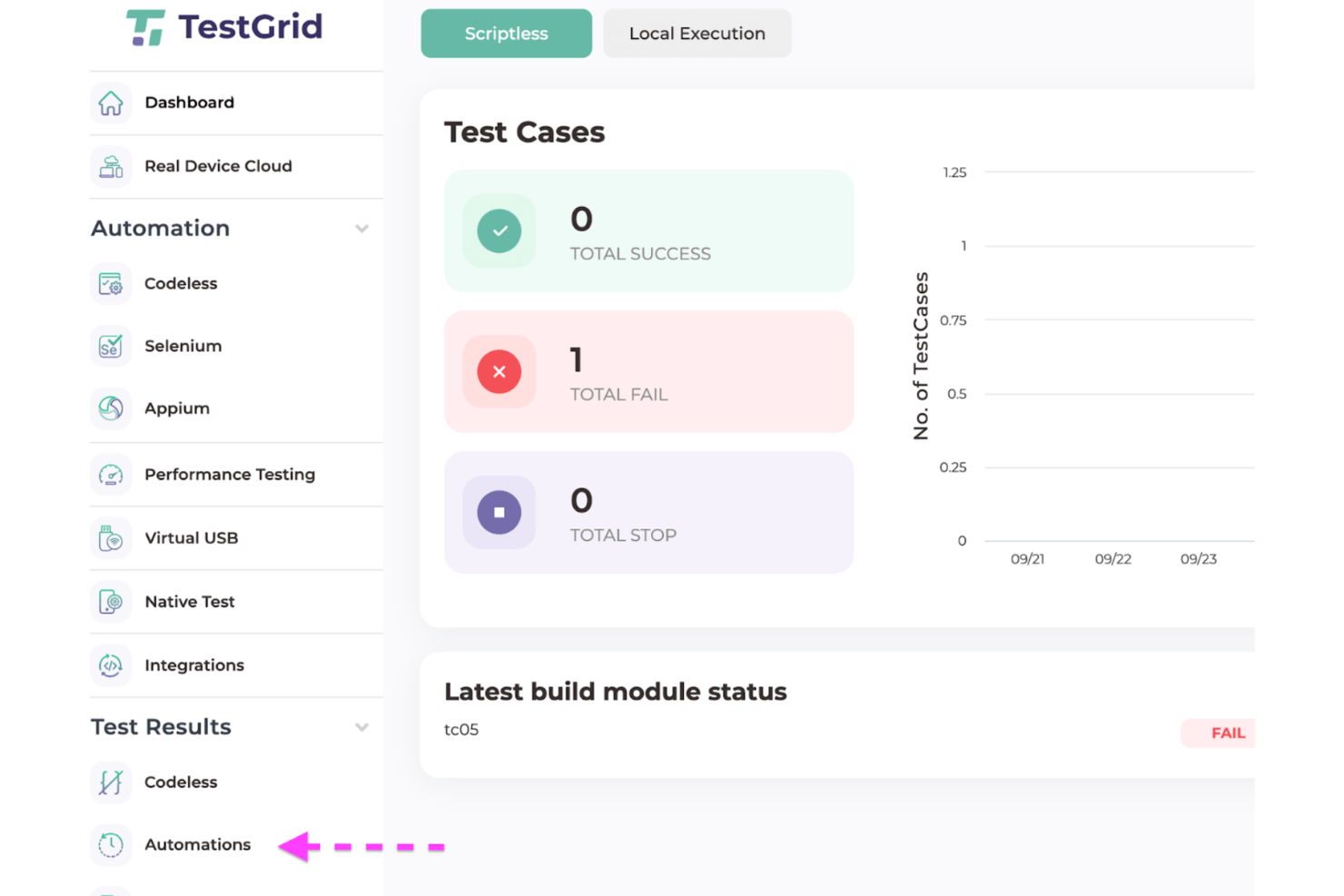
TestGrid helps teams ship UI changes with confidence by combining visual regression checks with cross-browser and real-device execution. It’s a fit for QA and dev teams that need pixel comparisons, parallel runs, and coverage across desktop and mobile without maintaining their own device lab.
Why I Picked TestGrid
I picked TestGrid because you get visual diffs inside the same runs you already execute across browsers and real devices—baseline image comparison + element/page screenshots catch layout drift as part of every build. Your team moves faster since parallel cloud execution gives quick feedback on large regression suites. You reduce flaky failures through real-device testing on iOS/Android and desktop browsers, so results mirror production hardware. And when a check fails, actionable run reports tie screenshots, console/network data, and steps together so developers can reproduce issues immediately. If you prefer less scripting, codeless test creation lets non-specialists add coverage while engineers plug in Selenium/Appium/Playwright code as needed.
TestGrid Key Features
Beyond the core visual comparisons, these help keep your releases on schedule.
- Parallel Cloud Execution: Run suites concurrently across browsers and devices to shorten cycle time.
- Network Request Monitoring: Validate API calls during UI runs to spot back-end regressions.
- Test Case Scheduler: Automate nightly/PR test runs to enforce consistent coverage.
- TG Tunnel for Staging: Securely test behind firewalls and on local environments without exposing them.
TestGrid Integrations
Integrations include Jenkins, Azure DevOps, CircleCI, Travis CI, Jira, Slack, Microsoft Teams, Bitrise, Katalon, TestComplete.
Pros and Cons
Pros:
- TG Tunnel enables secure testing of staging and local environments
- Parallel execution accelerates feedback on large regression suites
- Built-in visual diffs with baseline snapshots across browsers and devices
Cons:
- Visual baselines require per-viewport management to avoid noisy diffs
- Some integrations need CI configuration and access tokens

Best for cloud-based testing

LambdaTest is a cloud-based testing platform designed for developers and QA teams to perform cross-browser and visual regression testing. It provides a scalable and reliable environment for testing applications across different browsers and operating systems.
Why I picked LambdaTest: Its cloud-based infrastructure allows you to test on a wide range of browsers and devices without the need for physical hardware. Real-time testing lets your team quickly identify and fix issues. Automated screenshot testing ensures visual consistency across different platforms. The platform's scalability makes it ideal for teams of all sizes, aligning perfectly with its USP for cloud-based testing.
Standout features & integrations:
Features include real-time testing, which allows for instant issue identification, automated screenshot testing that checks visual consistency, and parallel testing to speed up execution times.
Integrations include Jira, Slack, CircleCI, GitHub, GitLab, Bitbucket, Azure DevOps, Asana, Trello, and Jenkins.
Pros and Cons
Pros:
- Real-time testing capabilities
- Scalable testing environment
- Extensive browser coverage
Cons:
- Initial setup complexity
- May need configuration tweaks

QA Wolf
Best for team collaboration
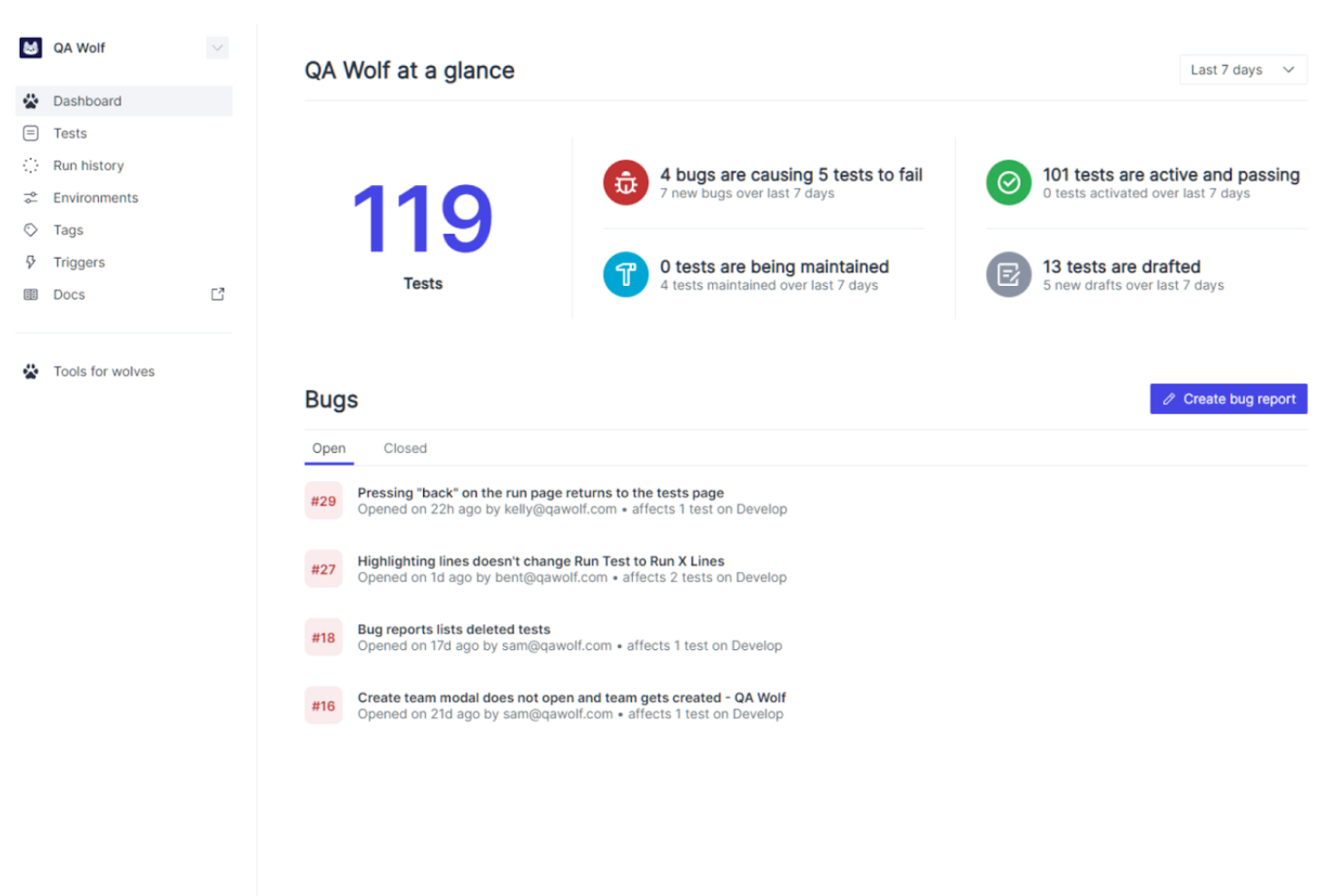
QA Wolf is a hybrid platform and service designed to help software teams ship better software faster by taking quality assurance completely off their plate. It delivers 80% automated end-to-end test coverage for web and mobile apps in weeks, not years.
Why I picked QA Wolf: Managing QA in-house can be time-consuming and divert your team's focus from core development tasks. QA Wolf handles the entire QA process, including test creation, infrastructure, and maintenance, allowing your team to concentrate on delivering features. It offers unlimited parallel test runs, providing pass/fail results within minutes, which supports continuous deployment. Additionally, QA Wolf integrates seamlessly with your existing workflows, including CI/CD pipelines and issue trackers, enhancing team collaboration.
Standout features & integrations:
Features include comprehensive test coverage within four months, unlimited parallel test executions, and 24/5 test maintenance and bug reporting.
Integrations include GitHub, Slack, and Jira.
Pros and Cons
Pros:
- Handles complex workflows
- Open-source code ownership
- Dedicated QA team manages tests
Cons:
- Initial setup requires coordination
- May not suit teams preferring in-house QA
New Product Updates from QA Wolf

QA Wolf Adds Real Media Testing for iOS Apps
QA Wolf introduces real media testing for iOS apps using camera and microphone inputs. This update improves test reliability for real-world use cases. For more information, visit QA Wolf’s official site.
 .
.
Best for AI-driven testing
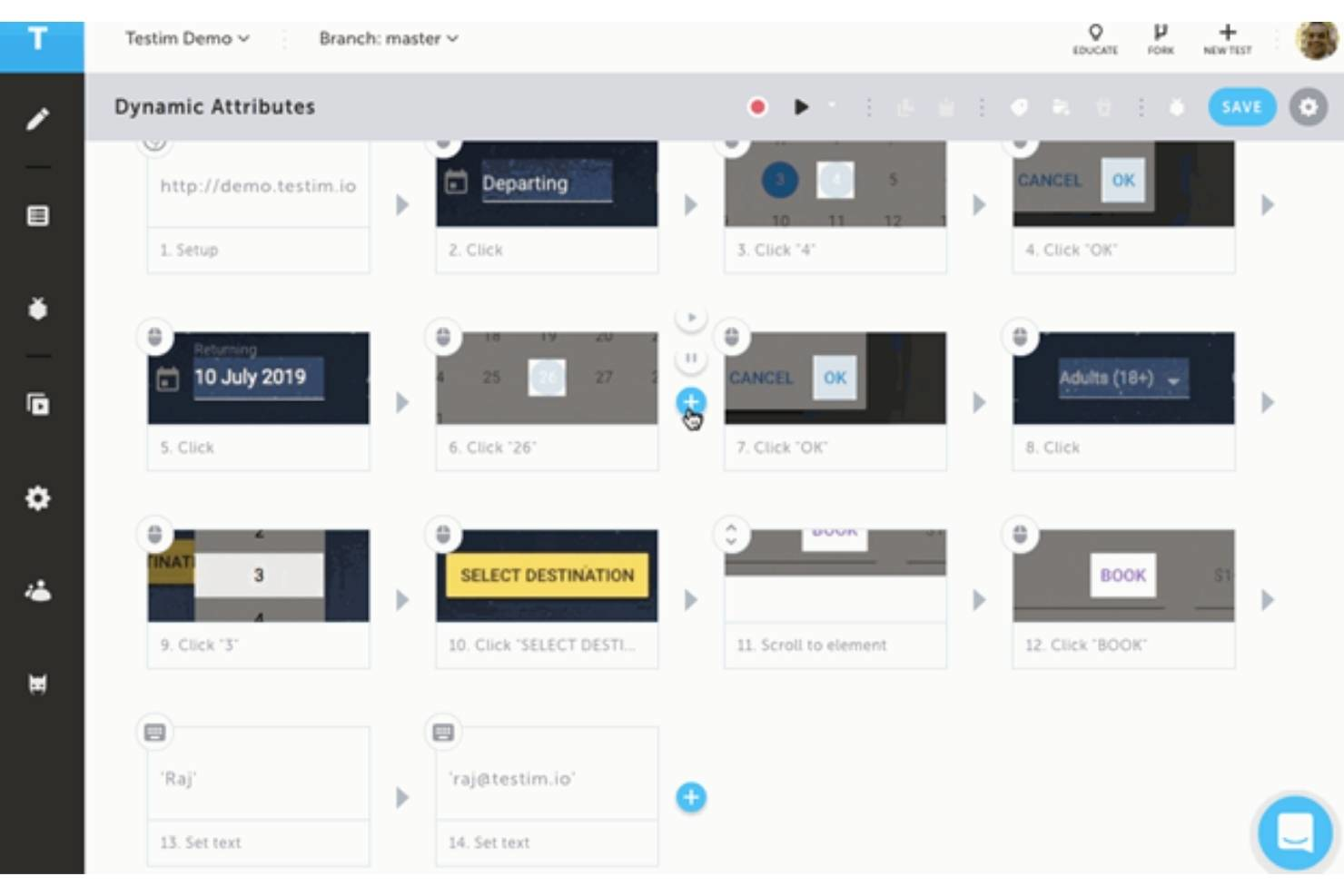
Tricentis Testim helps teams battling flaky UI tests and slow visual reviews by pairing AI-driven locators with built-in visual validation and detailed failure context. It’s best for engineering-led QA groups that want resilient web and mobile tests, side-by-side baseline comparisons, and tight CI/CD hooks without hand-coding every step.
Why I Picked Tricentis Testim
I picked Testim because you get fewer false alarms through AI smart locators that self-heal when attributes change, keeping tests stable as your UI evolves. Visual issues are easier to spot since baseline vs. result screenshots highlight the element that changed, so your team can decide quickly if a diff is real. You accelerate coverage with low-code authoring and Copilot assistance, letting non-specialists add tests while developers extend with code when needed. Mobile teams benefit from Testim Mobile’s virtual device grid and run insights, so you validate iOS/Android flows with step-level logs. And you can plug results into your release flow via ready-made CI guides and a CLI, so tests run automatically on every build.
Tricentis Testim Key Features
Beyond AI locators and visual diffs, these help QA leaders keep releases moving.
- Scheduler & Notifications: Automate nightly/PR runs and notify owners when suites fail.
- Branching & Reviews: Version tests, review changes, and resolve merge conflicts before they land.
- Console & Network Logs: Capture artifacts per step to speed up defect diagnosis.
- Reusable Steps & Groups: Share building blocks across tests to expand coverage faster.
Tricentis Testim Integrations
Integrations include Jira, Slack, Trello, GitHub, GitLab, Azure Pipelines, Jenkins, CircleCI, Bamboo, TeamCity, Applitools Eyes, TestRail, qTest, and Tricentis Test Management for Jira.
Pros and Cons
Pros:
- Self-healing locators cut brittle tests as UI changes
- Side-by-side screenshots pinpoint visual regressions fast
- CI/CLI integrations trigger runs and surface results automatically
Cons:
- Visual validation requires Applitools setup and account
- Some test-management integrations are limited to higher plans

Reflect
Best for AI-generated visual tests

Reflect is a no-code test automation platform built for fast, AI-driven visual regression testing. Instead of relying on brittle CSS selectors or manual scripting, Reflect uses natural language prompts and generative AI to turn your instructions into complete tests. It also auto-detects UI regressions, helping you maintain visual consistency without extra setup or manual checks.
Why I picked Reflect: You can create and maintain automated tests without touching a line of code. I picked Reflect because it eliminates two of the biggest pain points in visual regression testing: selector flakiness and test maintenance. The AI engine adapts automatically to UI changes, so you're not stuck fixing broken tests after every deployment. I also liked how it lets you test API and UI actions in the same flow, giving you more complete coverage with less effort.
Standout features & integrations:
Features include visual approval workflows to manage test updates, cross-browser regression comparisons, and text validations with built-in retries to handle dynamic content. Reflect also supports email and SMS testing for flows like 2FA.
Integrations include GitHub, Slack, JIRA, GitLab, CircleCI, Bitbucket, Jenkins, Trello, and test case management tools.
Pros and Cons
Pros:
- Comprehensive CI/CD integration
- AI-powered test maintenance
- No-code test creation
Cons:
- Could offer more customization options for test configurations
- Limitations to mobile app testing

Best for real-time monitoring
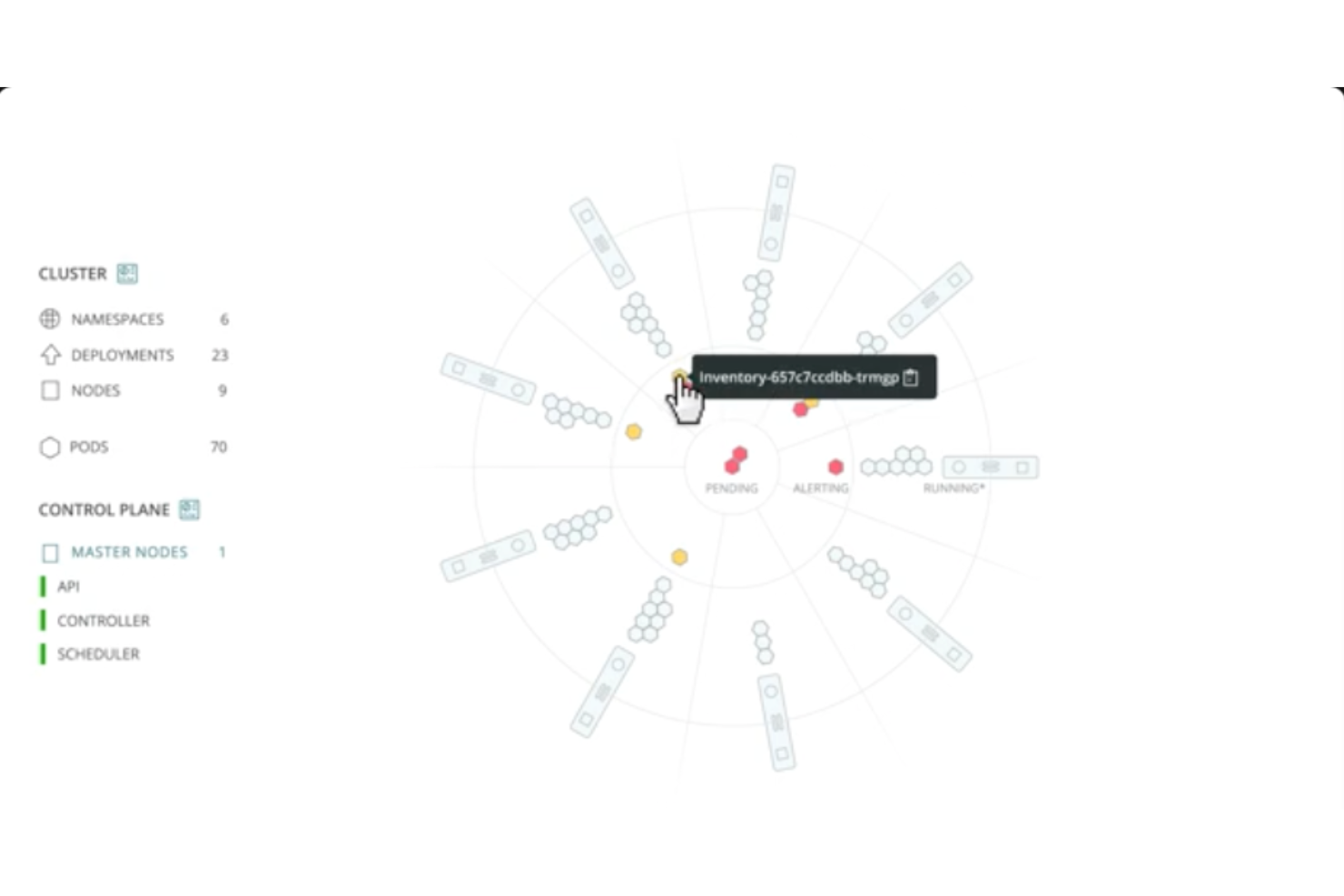
New Relic is an observability platform tailored for developers and IT teams to monitor their entire tech stack, providing real-time insights and end-to-end monitoring. Steve Morris, Founder and CEO at NEWMEDIA.COM, shared: “We can see a deployment marker for a payment gateway we did recently, and the almost 700ms increase in API response times that immediately followed it. That means the ops lead was able to triage that incident in one-quarter the usual time, because they could visually eliminate whole classes of root cause hypotheses.”
Why I picked New Relic: It excels in real-time monitoring, offering over 780 integrations that provide comprehensive visibility across applications and infrastructure. The platform's pre-built dashboards deliver actionable insights quickly. Its pay-as-you-go pricing model allows for flexibility and scalability. Users benefit from a seamless setup that connects telemetry data efficiently to gain immediate insights.
Standout features & integrations:
Features include real-time monitoring that ensures quick issue detection, pre-built dashboards for instant insights, and a wide range of integrations to cover various tech environments.
Integrations include Apache, Java, MySQL, .NET, Node.js, PHP, Python, and Ruby.
Pros and Cons
Pros:
- Actionable dashboard insights
- Quick setup process
- Extensive integration options
Cons:
- Limited offline capabilities
- Can be resource-intensive
Kobiton
Best for mobile app testing

Kobiton is a mobile device testing platform designed for developers and QA teams to ensure app quality across various devices. It offers real device testing and visual testing capabilities, which are crucial for maintaining app performance and user experience.
Why I picked Kobiton: It specializes in mobile app testing with real devices, providing accurate results that emulate user interactions. The platform supports automated testing, allowing your team to run tests efficiently. With Kobiton, you can access a wide range of devices, ensuring your app works well across different models. Its visual testing feature helps identify UI anomalies, making it a strong choice for mobile-focused teams.
Standout features & integrations:
Features include automated testing that speeds up the testing process, real device access for accurate results, and visual testing to catch UI inconsistencies.
Integrations include Jira, Figma, JetBrains, Visual Studio, Travis CI, TeamCity, Jenkins, Azure DevOps, XebiaLabs, CircleCI, Bitrise, Buildkite, GitHub Actions, and TestRail.
Pros and Cons
Pros:
- Supports automated testing
- Accurate real device testing
- Wide range of device access
Cons:
- Customization options may be limited
- Potential integration challenges with certain tools


Wraith is an open-source visual regression testing tool designed for developers who need to track visual changes in web applications. It captures screenshots of web pages and highlights differences to ensure visual consistency.
Why I picked Wraith: It provides an open-source solution for visual regression testing, making it accessible for teams with limited budgets. You can configure it to capture screenshots at different viewport sizes, which helps you ensure responsiveness. Wraith runs on top of existing web infrastructure, minimizing the need for additional resources. Its ability to highlight visual changes makes it a reliable tool for maintaining design integrity.
Standout features & integrations:
Features include configurable screenshot capture for different viewports, the ability to highlight visual differences between screenshots, and customization options for running on existing infrastructure.
Integrations include PhantomJS, ImageMagick, and can be used with other testing frameworks and tools.
Pros and Cons
Pros:
- Highlights visual changes
- Configurable viewport sizes
- Open-source and cost-effective
Cons:
- Potential learning curve
- Less support compared to paid tools


PhantomCSS is a visual regression testing tool designed for developers and QA teams who need to automate the testing of CSS changes. It captures screenshots and compares them against baseline images to detect visual changes in web applications.
Why I picked PhantomCSS: It offers automated visual testing by capturing screenshots and comparing them to detect discrepancies. The tool integrates with CasperJS, allowing you to create test scripts that automate the visual testing process. This automation reduces manual checks and ensures consistency across tests. It supports a wide range of CSS properties, making it versatile for front-end testing.
Standout features & integrations:
Features include screenshot capturing for visual comparisons, integration with CasperJS for test automation, and support for various CSS properties to ensure thorough testing.
Integrations include CasperJS, and it can be used in conjunction with other testing frameworks like Selenium.
Pros and Cons
Pros:
- Supports various CSS properties
- Integrates with CasperJS
- Automates visual regression testing
Cons:
- Limited to web applications
- May need additional tools for full testing
Other Visual Regression Testing Tools
Here are some additional visual regression testing tool options that didn’t make it onto my shortlist, but are still worth checking out:
- WebdriverCSS
For CSS regression testing
- Percy
For team collaboration
- Argos
For GitHub integration
- Mobot
For physical device testing
- Owlity
For autonomous test generation
- Testlio
For global testing networks
- testRigor
For plain English test writing
- Autify
For user-friendly interface
- Leapwork
For no-code automation
- Rainforest QA
For on-demand testing
- Gemini
For CSS testing


How I Evaluate Visual Regression Testing Tools
I evaluate tools on two levels: the core capabilities that catch a shifted button or broken layout before a PR merges, and the differentiators that separate truly useful tools from the rest.
Core Functionality (Table Stakes For This List)
When I'm selecting tools for my list, I rank each one on a scale from 0 (does not offer the functionality) to 5 (excels in this area) for each core functionality listed below. Then, I calculate the tool's total score into a percentage. Each tool needs to achieve a minimum total score of 65% to be considered for inclusion.
- Visual Diff Detection: I check whether a tool captures screenshots automatically and compares them against baselines with enough granularity to catch a 1px padding shift on a checkout page.
- Cross-Browser & Device Coverage: Each tool's browser and viewport matrix matters—I look for support across Chrome, Firefox, Safari, Edge, and mobile resolutions in a single test run.
- CI/CD Pipeline Integration: I evaluate how cleanly the tool plugs into CI systems like Jenkins, GitHub Actions, or GitLab CI, including whether it posts diff results directly to pull requests.
- Baseline & Approval Workflow: A usable review UI is key—I look for tools that let teams accept, reject, or batch-update baselines collaboratively rather than overwriting them locally.
- Test Framework Compatibility: I check SDK support for frameworks your team likely already uses, such as Cypress, Playwright, Selenium, or Storybook, so visual checks fit into existing test suites.
- Smart Diff & Noise Reduction: False positives from font rendering, dynamic content, or anti-aliasing can bury real regressions, so I evaluate each tool's ability to mask, ignore, or intelligently filter noise.
Once I have a list of tools that meet the criteria, I consider what sets each platform apart.
Differentiating Factors (What Sets Vendors Apart)
Here's how I compare and contrast different vendors:
Standout Features
Component-level testing is a big differentiator—tools that integrate with Storybook or similar libraries let you catch regressions at the component level before they cascade across pages. I also look for root cause analytics, where a tool captures DOM changes and CSS diffs alongside the screenshot so developers can pinpoint why something broke, not just that it broke. Design-to-code diffing is worth noting too, especially for teams that maintain a Figma-based design system and want to flag visual drift early in the PR cycle.
Beyond Features
Pricing model matters a lot here. Some tools charge per snapshot, others per user or test run, and the wrong fit can balloon costs fast when your team ships multiple times a day. I also evaluate test execution speed—parallel rendering and diff processing time directly impact how long your CI pipeline takes, which shapes developer feedback loops. For enterprise teams, deployment flexibility is worth checking too. Self-hosted or private cloud options can be the deciding factor when security policies prohibit sending UI screenshots to third-party servers.
How to Choose Visual Regression Testing Tools
It’s easy to get bogged down in long feature lists and complex pricing structures. To help you stay focused as you work through your unique software selection process, here’s a checklist of factors to keep in mind:
| Factor | What to Consider |
| Scalability | Ensure the tool can grow with your team. Look for options that support increased user numbers and larger test volumes without compromising performance. |
| Integrations | Check that the tool integrates with your existing tech stack, like CI/CD pipelines, version control systems, and other development tools. |
| Customizability | Look for tools that let you tailor features and workflows to suit your specific testing needs and processes. |
| Ease of Use | Consider how intuitive the tool is for all users. An easy setup with clear documentation can save your team time and frustration. |
| Budget | Evaluate pricing against your budget. Look for transparent pricing and consider the total cost of ownership, including any hidden fees. |
| Security Safeguards | Ensure the tool has robust security measures, like data encryption, to protect sensitive information and comply with regulations. |
| Support | Consider the level of customer support available. Look for 24/7 support and a dedicated account manager for personalized assistance. |
| Performance | Evaluate how quickly and accurately the tool can execute tests to ensure it meets your team's speed and reliability needs. |
Trends in Visual Regression Testing Tools
In my research, I sourced countless product updates, press releases, and release logs from different visual regression testing tool vendors. Here are some of the emerging trends I’m keeping an eye on:
- AI-Driven Insights: Vendors are increasingly using AI to provide actionable insights from visual regression tests. This helps teams quickly identify and prioritize critical issues, improving decision-making. Applitools is a great example, leveraging AI to enhance visual testing accuracy.
- Real-Time Collaboration: More tools are enabling real-time collaboration features, allowing teams to work together on visual testing results. This trend is about improving communication and speeding up the feedback loop. Percy offers features that facilitate team collaboration during the testing process.
- Visual Testing for Accessibility: Ensuring accessibility compliance is becoming vital. Tools are starting to integrate features that check visual elements for accessibility standards, helping teams create inclusive applications. Some vendors are introducing accessibility checks alongside visual tests.
- Cloud-Native Solutions: As businesses move to the cloud, visual regression tools are increasingly cloud-native, offering better scalability and flexibility. This trend allows teams to run tests in scalable environments without hardware constraints, as seen in LambdaTest's offerings.
- Visual Testing as a Service (VTaaS): There's a shift towards providing visual testing as a service, reducing the need for in-house test infrastructure. This model offers flexibility and cost savings, with vendors like Rainforest QA offering on-demand visual testing services.
What Is a Visual Regression Testing Tool?
Visual regression testing tools are software solutions used by developers and QA engineers to automatically detect unintended changes in a web application’s user interface.
They capture baseline screenshots, compare them against new builds, and flag visual discrepancies caused by CSS, layout, or component updates. These code visualization tools ensure design consistency across browsers and devices—helping teams maintain brand integrity and UI quality as products evolve.
Features of Visual Regression Testing Tools
When selecting visual regression testing tools, keep an eye out for the following key features:
- Screenshot comparison: This feature lets you capture and compare screenshots from different stages of your app or website. With this, you can quickly spot unexpected UI changes, helping you keep your visuals in check without squinting at every pixel.
- Baseline image management: You can store and organize baseline images—basically your “visual gold standard”—so every new test knows exactly what “normal” looks like. This makes it way easier to track changes and avoid accidental approval of visual bugs.
- Automated test execution: Set up your visual tests to run automatically, either on a schedule or as part of your CI/CD pipeline. This helps you catch visual blips early, saving you from painful surprise bugs later.
- Cross-browser and device support: Test your interface across different browsers and devices, making sure your design holds up everywhere your users are lurking. It’s like insurance for your pixel-perfect design dreams.
- Detailed reporting and alerts: Get clear, actionable reports whenever there’s a mismatch so you know exactly what changed and where. Instant alerts mean you can swoop in before any visual mishaps reach users.
- Region and element selection: Focus your tests on specific regions or elements—no more getting tripped up by ads or dynamic banners you don’t care about. You decide what matters.
- Version control integration: Sync your visual tests with your code repository so your UI checks always stay up-to-date with your latest development changes. No messy workarounds—just seamless teamwork.
- Masking and ignore rules: Block out dynamic areas like timestamps or personalized content so regular changes don’t clutter up your test results. You get the signal, not the noise.
Visual Regression Testing Tool AI Features
Beyond the standard visual regression testing tools features listed above, many of these solutions are incorporating AI with features like:
- Intelligent change detection: AI analyzes screenshots to distinguish between meaningful visual changes and random noise or harmless fluctuations. You waste less time investigating changes that don’t actually matter.
- Automated bug triage: The tool uses AI to categorize and prioritize visual differences, flagging critical issues first. This helps you tackle the most important problems immediately, without wading through a backlog.
- Smart element matching: AI recognizes UI components even if their size or position shifts slightly, so it still detects real bugs even when your layout changes a bit. No more false alarms from minor tweaks.
- Adaptive baseline updating: The system uses AI to spot intentional design changes in pull requests and suggests whether those should update your baseline, making the whole approval process smoother for you.
- Pattern recognition: AI identifies recurring visual issues or trends across multiple tests, helping you pinpoint the root cause of pesky, repeating bugs. You solve problems faster with deeper insights.
Benefits of Visual Regression Testing Tools
Implementing a visual regression testing tool provides several benefits for your team and your business. Here are a few you can look forward to:
- Time savings: Automated screenshot comparisons and AI-driven insights reduce the time spent on manual checks, allowing your team to focus on more critical tasks.
- Improved accuracy: Cloud-native solutions and parallel testing ensure consistent and precise results across different environments and devices.
- Enhanced collaboration: Real-time collaboration features help your team communicate effectively, speeding up the feedback loop and decision-making process.
- Accessibility compliance: Built-in accessibility checks ensure your applications meet necessary standards, creating a more inclusive user experience.
- Cost efficiency: By integrating with CI/CD pipelines and offering codeless test creation, these tools streamline workflows and reduce the need for extensive technical resources.
- Quality assurance: Visual review workflows and customizable test environments ensure only desired updates go live, maintaining a high-quality user experience.
Costs and Pricing of Visual Regression Testing Tools
Selecting a visual regression testing tool requires an understanding of the various pricing models and plans available. Costs vary based on features, team size, add-ons, and more. The table below summarizes common plans, their average prices, and typical features included in visual regression testing tool solutions:
Plan Comparison Table for Visual Regression Testing Tools
| Plan Type | Average Price | Common Features |
| Free Plan | $0 | Limited test runs, basic reporting, and community support. |
| Personal Plan | $5-$25/user/month | More test runs, basic integrations, and email support. |
| Business Plan | $30-$75/user/month | Unlimited test runs, advanced reporting, priority support, and team collaboration tools. |
| Enterprise Plan | $100+/user/month | Custom integrations, dedicated account manager, enhanced security, and personalized onboarding. |
Visual Regression Testing Tools FAQs
Here are some answers to common questions about visual regression testing tool:
What is the purpose of visual regression testing?
Visual regression testing checks that user-facing pages and UI elements look the same before and after code changes. It ensures visual consistency so you don’t introduce accidental bugs or break layouts as you release updates. This helps your team catch subtle visual errors that functional tests can miss.
How often should regression testing be performed?
You should run visual regression tests every time your team makes a relevant code, style, or asset change. Integrate these tests into your CI/CD pipeline so issues are caught automatically before merging or deploying. Regular testing gives you early warning for visual bugs.
What is the difference between snapshot testing and visual regression testing?
Snapshot testing checks the structure of your code’s output, like the HTML markup, for unexpected changes. Visual regression testing captures and compares screenshots to spot visual differences. Use both for complete confidence—snapshot for structure, visual regression for presentation.
How do visual regression testing tools integrate with CI/CD pipelines?
Most visual regression tools offer straightforward integrations with CI/CD platforms like Jenkins, GitHub Actions, or CircleCI. You can automate test runs, trigger visual checks with each pull request, and set up reporting so your team is alerted fast when something breaks visually.
Can visual regression testing tools handle dynamic content?
Yes, many advanced tools let you ignore or mask dynamic elements like timestamps, notifications, or ads. Some even use AI to distinguish between significant visual changes and expected variability. Use these features to reduce false positives in dynamic apps.
What are common challenges in visual regression testing?
Common challenges include managing false positives from minor changes, handling dynamic or personalized content, and maintaining test stability as your UI evolves. Choose tools with intelligent diffing and good configuration options to tackle these problems efficiently.
How can I minimize false positives in visual regression testing?
You can minimize false positives by ignoring unstable elements, tuning sensitivity thresholds, and using masking features in your tooling. Regularly review your test configurations as your UI changes and update reference images as needed. This keeps alerts actionable for your team.
Are open-source visual regression tools reliable for enterprise use?
Yes, many open-source visual regression tools like BackstopJS or Loki are used by large engineering teams. However, review each tool’s documentation, support model, and integration support carefully to ensure it meets your security and scaling needs.
What's Next?
Boost your SaaS growth and leadership skills.
Subscribe to our newsletter for the latest insights from CTOs and aspiring tech leaders.
We'll help you scale smarter and lead stronger with guides, resources, and strategies from top experts!